OFIO
  • Product
    • Enterprise
    • Dealers
  • Integrations
  • Why OFIO
  • Sign in
Book a demo

For multi-site operators

Run every site like one.

For store operations, loss prevention and facilities teams on panels from more than one vendor. Keep the hardware you have and run it from one console.
Book a demoTry the sandbox
Take the 2-minute tour
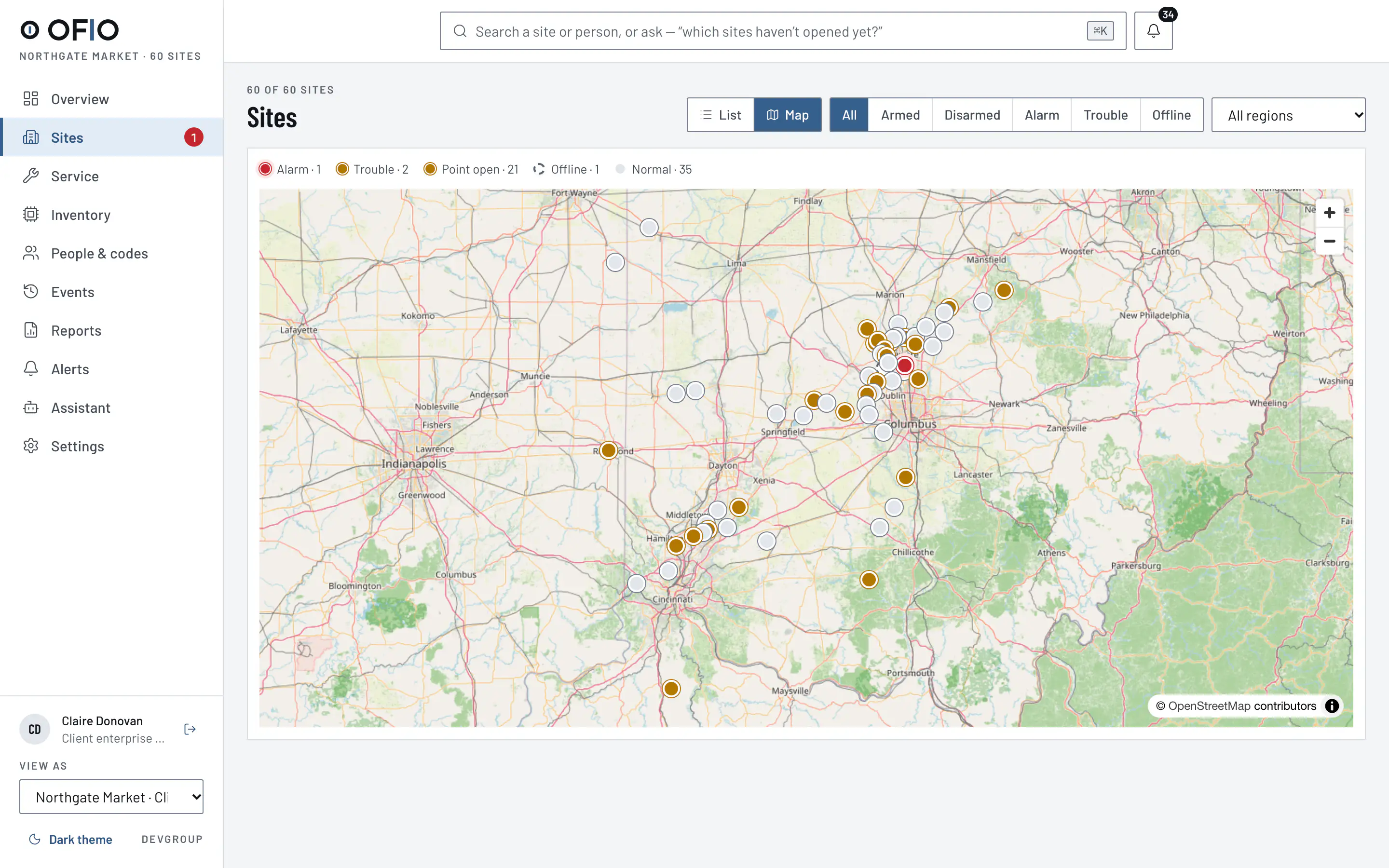
Map of all 60 stores, each pin coloured by state, with a legend counting alarm, trouble, point open, offline and normal sites.

What changes

From phone calls to proof.

Today

With OFIO

  • TodayAn ex-employee’s code is still on some panels, and nobody can say which.

    With OFIORemove the person once. Every panel confirms, and the record shows each one.

  • TodayA store did not arm last night, and you hear about it from the morning shift.

    With OFIOThe fail-to-arm report is in your inbox before the store opens, and only when there is an exception.

  • TodayEach panel brand has its own tool, login and words for the same thing.

    With OFIOOne console and one vocabulary, whatever the vendor, with each vendor’s own word kept in the detail view.

  • TodayThe same door causes the same false alarm every week.

    With OFIORepeat problems are found on their own and turned into a service ticket.

In OFIO

What your team works from every day.

Fleet

Every site at a glance.

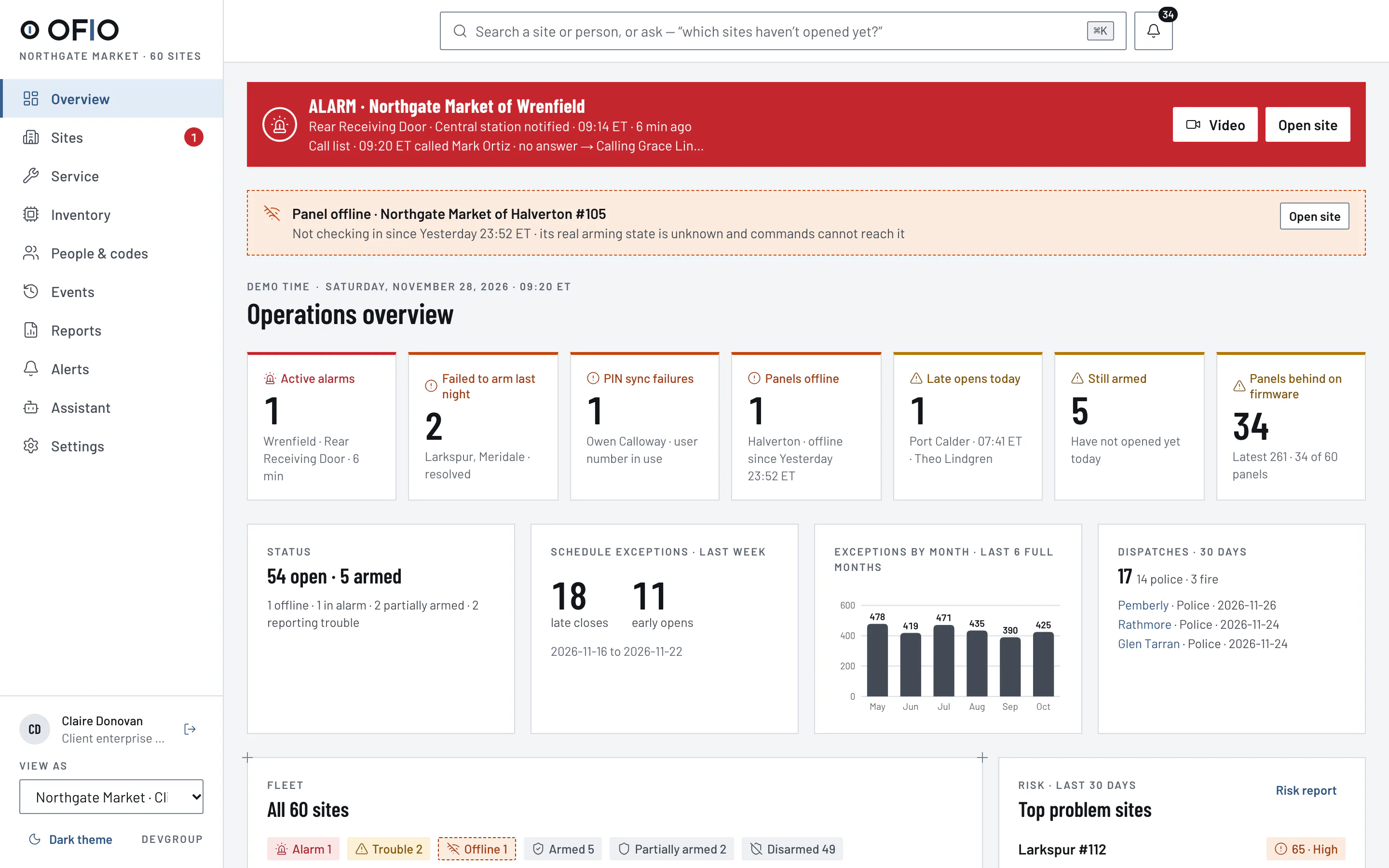
The overview orders the morning by severity: alarms, failed arms, PIN failures, offline panels, late opens.

  • Fleet grid and map
  • Filter by region, district or group
  • Each number opens the list behind it
Operations overview: the live alarm and offline-panel banners above KPI tiles for active alarms, failed arms, PIN sync failures, offline panels, late opens and stores still armed.

Offboarding

Gone from all 60 stores, with proof.

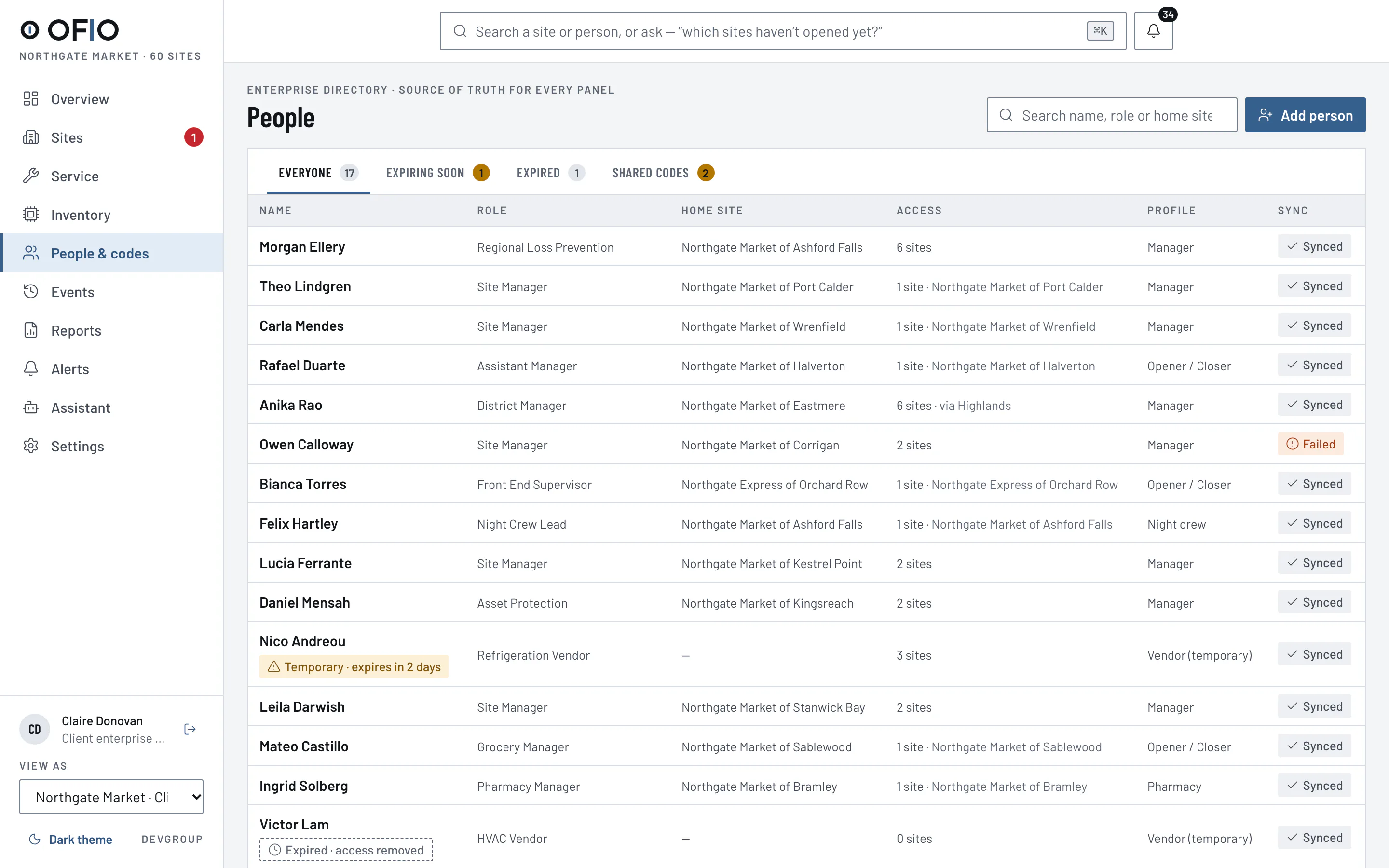
People and codes live in one directory. Remove someone and watch each panel confirm, or see which one refused and retry it.
  • Per-panel PIN sync state
  • Temporary access with an end date
  • Audit of who changed what, and when
The people directory: one row per person with role, home store, site access, profile and PIN sync state; one person shows Failed.

Reports

Exceptions in your inbox, not a spreadsheet.

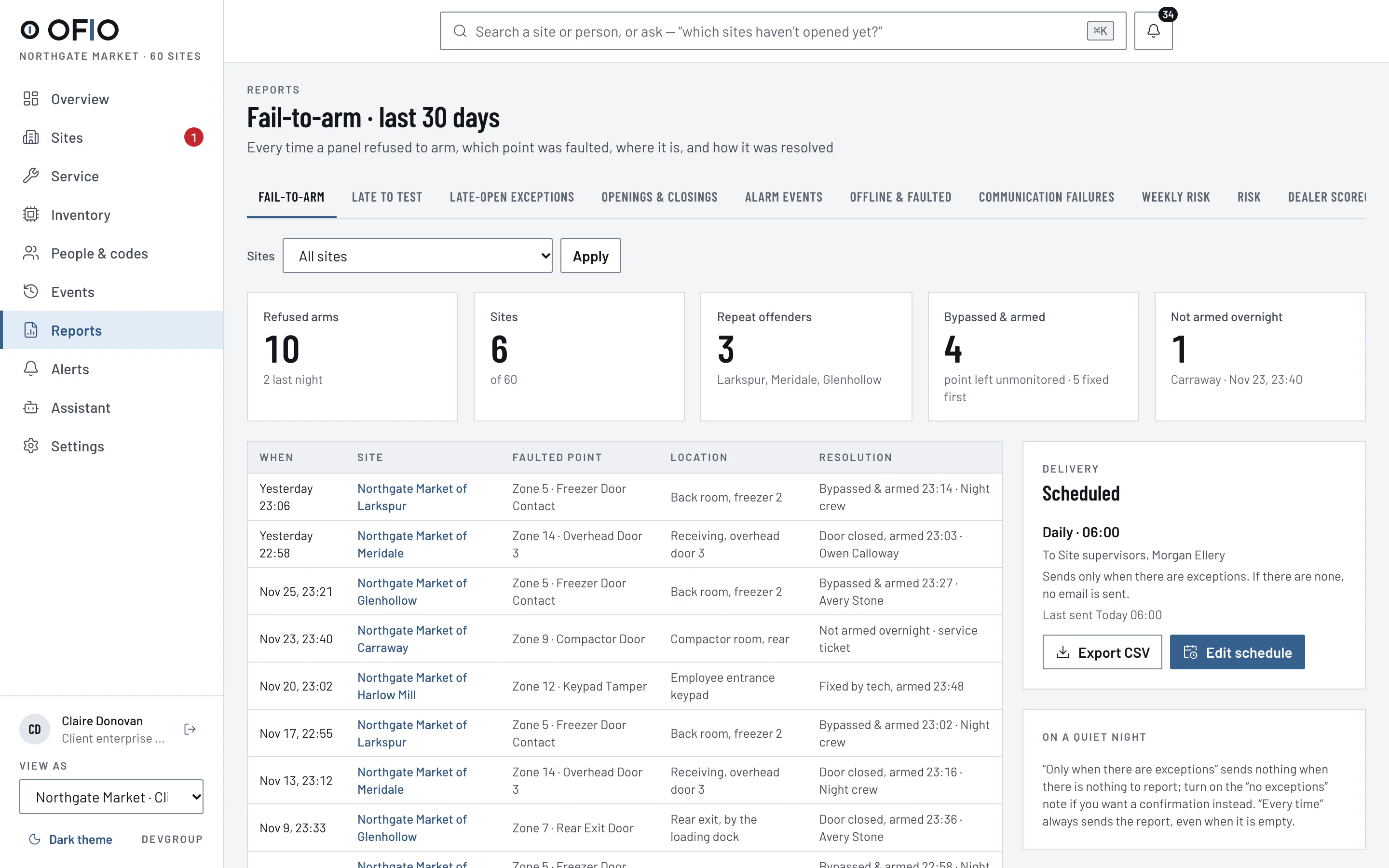
Fail-to-arm, late opens, alarms and offline panels, scheduled by email and scoped to a region or group.
  • Exceptions only by default
  • Executive summary and weekly risk
  • CSV export
The fail-to-arm report: refused arms, repeat offenders and bypasses over 30 days, each row with the faulted point and how it was resolved, beside the daily delivery schedule.

On the go

The district manager’s phone is a console too.

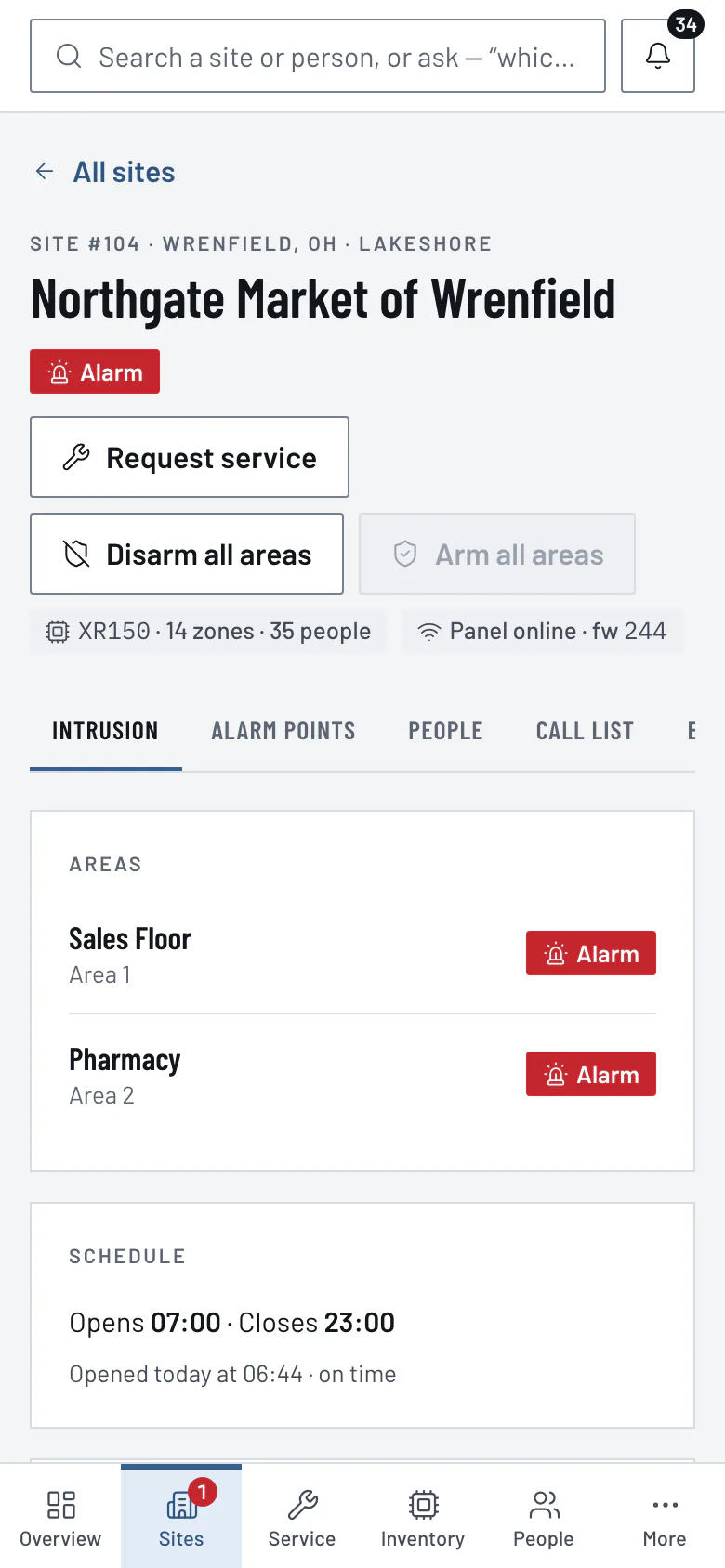
Every screen works on a phone, with 44px buttons and fields, a bottom navigation bar and the same confirmations as the desktop.
  • Alarm banner and site state
  • Arm and disarm with confirmation
  • Alerts by email or text
A store in alarm on a phone: site header, Disarm and Arm buttons at full touch size, areas in alarm and the bottom navigation.

Structure

Organization, region, site.

Sites sit in regions and in groups you define, so a report or an alert rule can cover the whole chain, and auto-arm a region or a single store.

Northgate Market

60 sites · 6 regions

  • Riverbend

    16 sites

    • #105 · Halverton
    • #118 · Tamsworth
    • + 14 more
  • Lakeshore

    14 sites

    • #103 · Port Calder
    • #104 · Wrenfield
    • #112 · Larkspur
    • + 11 more
  • Bluegrass

    12 sites

    • #107 · Corrigan
    • #146 · Meridale
    • + 10 more
  • Highlands

    8 sites

    • #106 · Eastmere
    • #129 · Kingsreach
    • + 6 more
  • Prairie

    5 sites

    • #136 · Bethany Ford
    • #138 · Carraway
    • + 3 more
  • Canalside

    5 sites

    • #155 · Hazelmere
    • #156 · Tidewater
    • + 3 more

Questions

What buyers ask first.

Do the panels have to be replaced?

No. OFIO connects to the panels you have through each vendor’s gateway. The Integrations page lists the connectors.

Does OFIO replace alarm monitoring?

No. Your central station keeps monitoring. OFIO shows the alarm, the call list as it is worked, and the history around it.

Can OFIO show a PIN?

Never. Codes are sent to panels and confirmed per panel, but no screen, report or email shows the digits.

What happens when a panel is offline?

It is flagged on the overview and in alerts, not left as a grey cell. The site shows the gateway’s last cached programming and says plainly that its arming state is unknown and commands cannot reach it until it reconnects.

Who can do what?

Console roles and a permission matrix set who can arm, change codes, edit people or only view, per organization.

Get started

See your own fleet in OFIO.

Book a walk-through on the problems your sites have today, or ask for a sandbox and work the Northgate Market fleet yourself.

Book a demoTry the sandbox
Take the 2-minute tour
OFIO

Access control command center

Product

  • Product
  • Product tour
  • Integrations
  • Why OFIO

Solutions

  • Enterprise
  • Dealers

Get started

  • Book a demo
  • Try the sandbox

Company

  • Company
  • Privacy
  • Terms

Created by DevGroup · EDGE Affiliates